
4.0KB
xaringanthemer


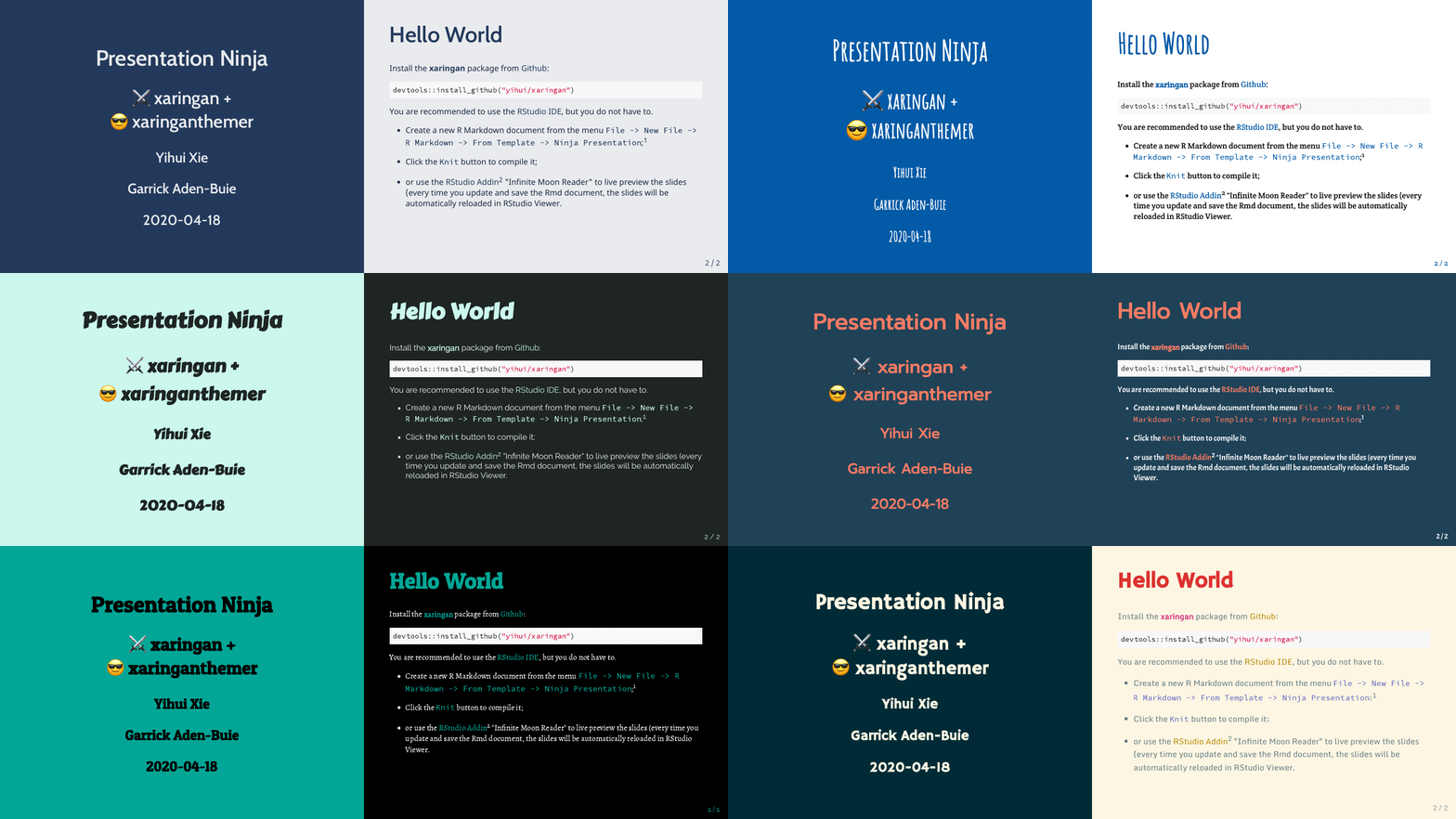
Give your xaringan
slides some style with xaringanthemer within your
slides.Rmd file without (much) CSS.
Installation
You can install xaringanthemer from CRAN
or you can install the development version of xaringanthemer from GitHub.
Quick Intro
First, add the xaringan-themer.css file to the YAML
header of your xaringan slides.
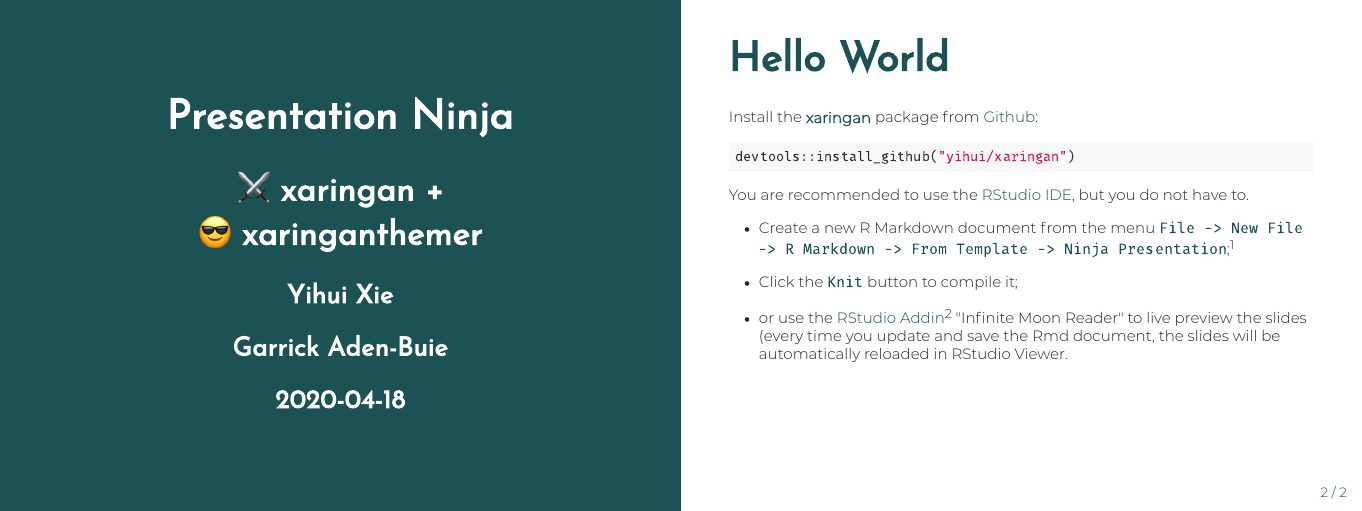
Then, in a hidden chunk just after the knitr setup chunk, load xaringanthemer and try one of the theme functions.
```{r xaringan-themer, include=FALSE, warning=FALSE}
library(xaringanthemer)
style_mono_accent(
  base_color = "#1c5253",
  header_font_google = google_font("Josefin Sans"),
  text_font_google   = google_font("Montserrat", "300", "300i"),
  code_font_google   = google_font("Fira Mono")
)
```
Matching ggplot Themes
xaringanthemer even provides a ggplot2 theme with
theme_xaringan() that uses the colors and fonts from your
slide theme. Built on the showtext package, and
designed to work seamlessly with Google Fonts.
Color and fill scales are also provided for matching sequential color
scales based on the primary color used in your slides. See
?scale_xaringan for more details.
library(ggplot2)
ggplot(diamonds) +
  aes(cut, fill = cut) +
  geom_bar(show.legend = FALSE) +
  labs(
    x = "Cut",
    y = "Count",
    title = "A Fancy diamonds Plot"
  ) +
  theme_xaringan(background_color = "#FFFFFF") +
  scale_xaringan_fill_discrete()
Tab Completion
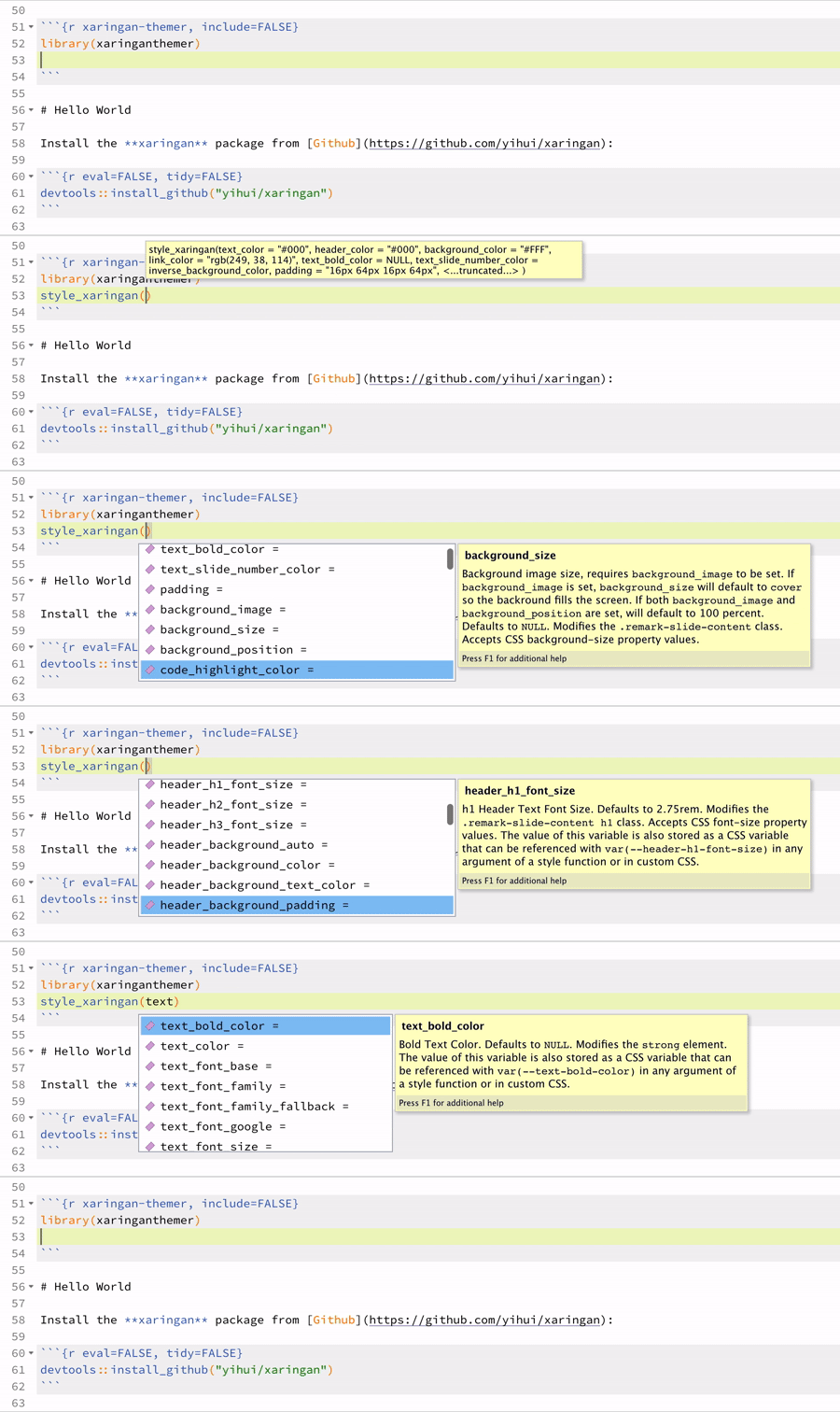
xaringanthemer is Tab friendly – use autocomplete to explore the template variables that you can adjust in each of the themes!
R Markdown Template in RStudio
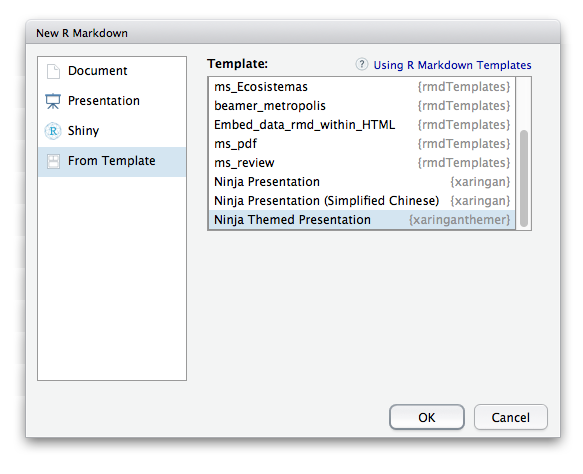
You can also skip the above and just create a Ninja Themed Presentation from the New R Markdown Document menu in RStudio.
Features
There’s a lot more that xaringanthemer can do! Discover xaringanthemer’s features.